Guides
What Is Quota HQ? The Free Hub That Installs, Updates, and Rolls Back Every Quota App
Quota HQ is the free hub that installs, updates, and rolls back every Quota app from one window. No account, no forced updates — and you can delete it and every app keeps running.
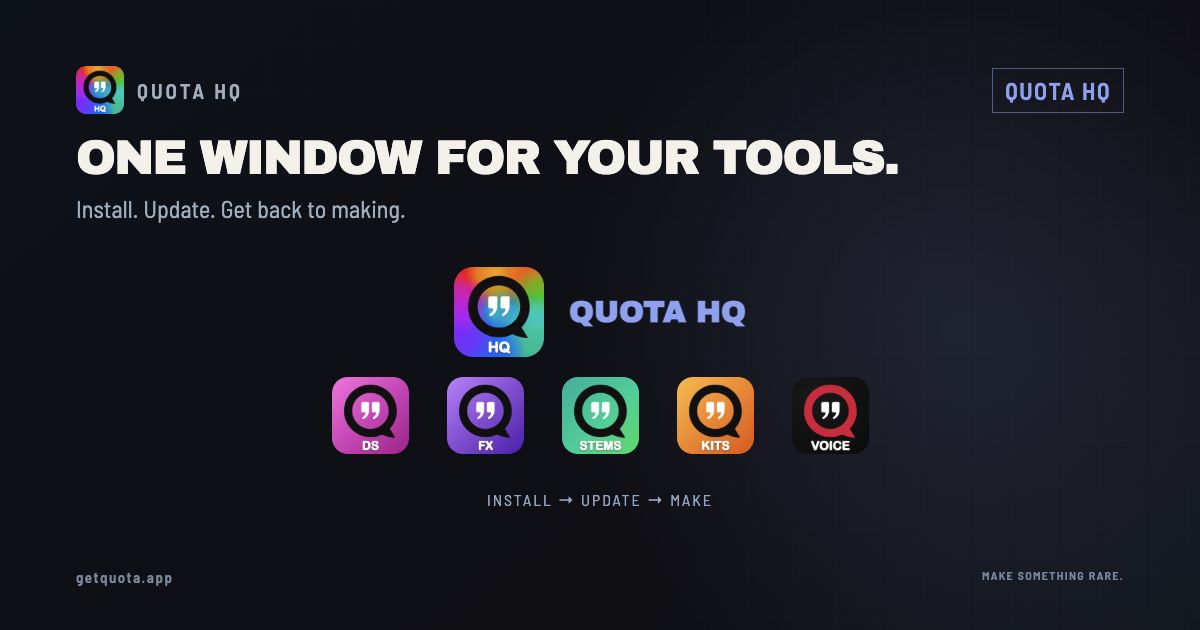
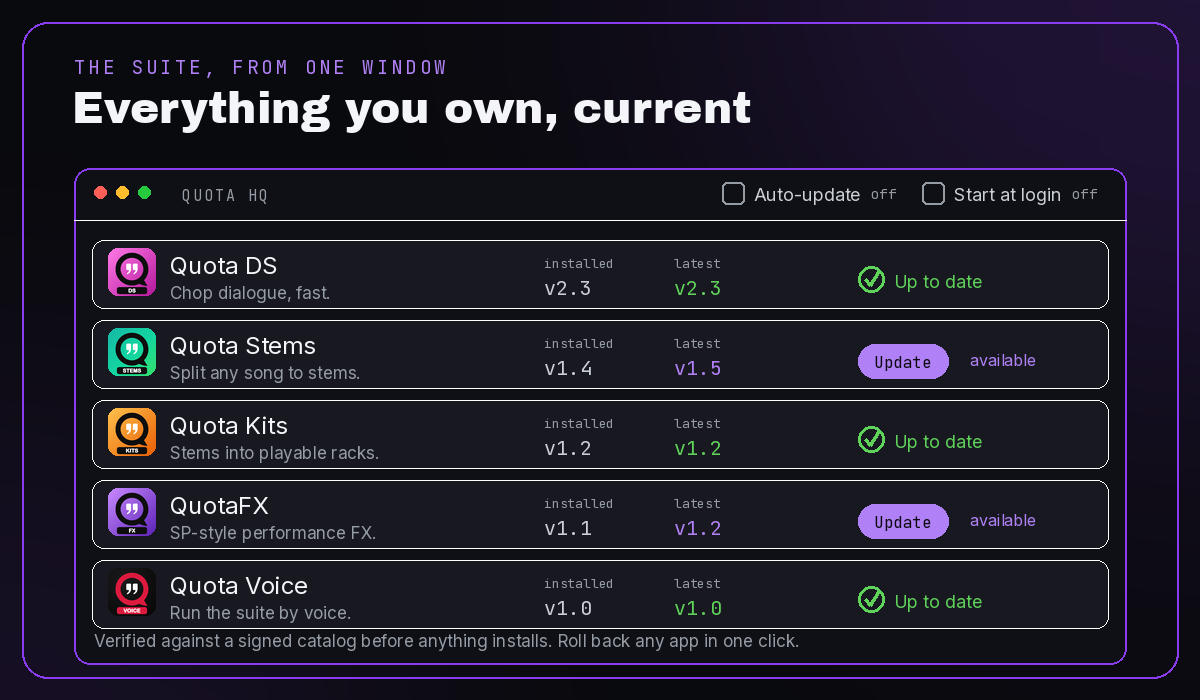
Quota HQ is the free hub that installs, updates, and rolls back every Quota app — DS, Stems, Kits, FX, and Voice — from one window. You give your email once, HQ arrives, and from then on everything flows through it: one-click installs, updates on your terms, verified downloads, and a one-click roll back to the previous version when an update doesn't sit right. No account, ever. And if you ever want it gone, you can delete HQ and every Quota app keeps running.
If you own more than one Quota app, HQ is the thing that keeps them all current without you thinking about it. One download, one email, once — then the whole suite is one window away.
Why a hub, and why here specifically
Quota isn't one app; it's a set that hands work to each other. Stems feeds Kits. Kits builds racks you play in DS. Voice drives all of them from a single spoken line, and SongKit turns a whole song into a rack. The moment those apps drift out of sync — one updated, one not — the handoffs between them start to break.
HQ exists to keep the whole set coherent, not just to bump one app's version number. It knows what you have installed, what the current build is, and whether the pieces still line up. That's the real reason it's here, and it's why a hub makes sense for Quota specifically when it wouldn't for a single standalone plugin.
No account means no dashboard — so HQ is that surface
Quota has no accounts. That's the whole stance: no logins, no tracking, nothing about you sent anywhere. But it leaves one honest gap — with no account, there's no "log in and see everything you own" page either.
HQ is that page, and it lives on your machine instead of ours. Your licenses sit in a local wallet, your installed apps are listed with their versions, and the whole picture of what you own is right there in one window. Lost a key? Find My License emails it back. It replaces an account dashboard without making you have an account.
The chore it deletes
Here's what updating a no-account app used to mean: dig up the original download email, request a fresh signed link, download the installer, run it — every single time, for every app. Miss the email and you're emailing support.
With HQ that entire loop is gone. Your email once, HQ installs, and from then on it fetches every update for every app on its own. You open one window and everything you own is sitting there, current.
Roll back a bad update, one click
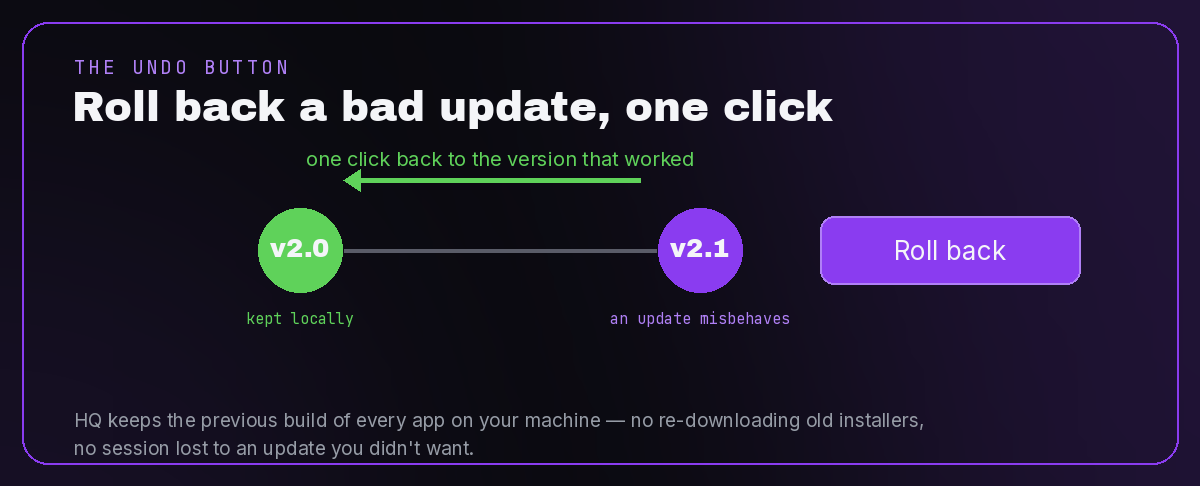
This is the part almost nothing else in this category does, so it goes first: HQ keeps the previous version of every app, and one click puts it back.
Updates are good until the one time they aren't — a shortcut moved, a workflow you had muscle memory for changed, something misbehaves right when you're deep in a session. Instead of hunting down an old installer, you click roll back and you're on the version that worked, still working. Update again whenever you're ready.
The common-sense stuff other updaters skip
Rollback isn't the only place HQ does the obvious thing:
- Updates on your terms. No forced updates, no pop-up mid-session, no app holding your work hostage until you click OK. You update when it suits you.
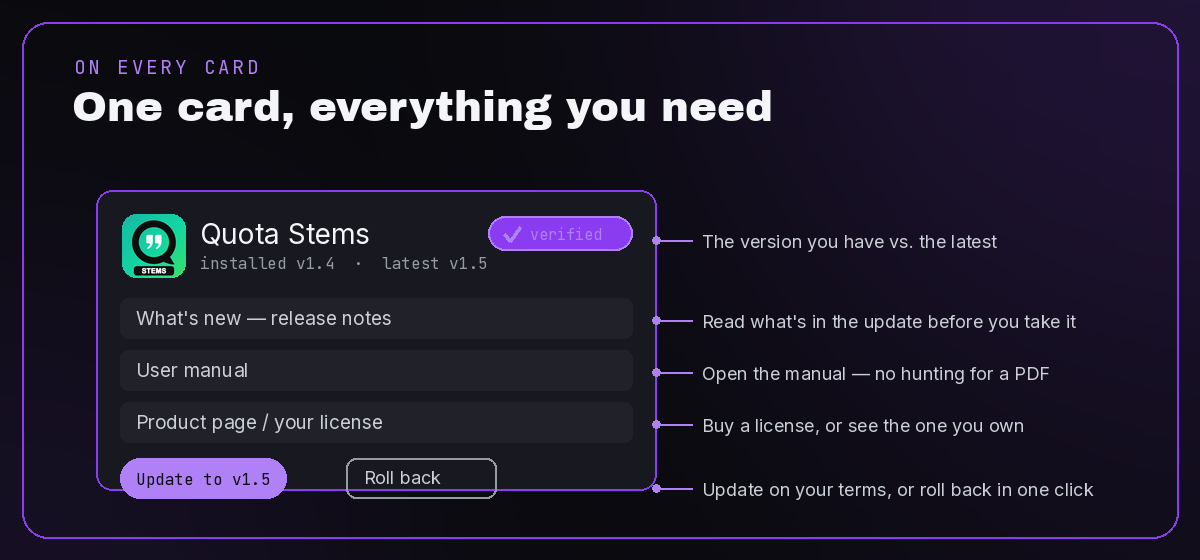
- What's new, right on the card. The release notes sit on the app's card before you update, so you know what you're taking before you take it.
- The user manual, one click. No more "where did I save that PDF." It's on the card.
- Product page or buy a license. Don't own an app yet? The card links to it. Own it? The wallet already holds the key.
- Verified installs. Every download is checked against a signed catalog — signature and checksum — before it touches your machine. If it doesn't match, it doesn't install. Most updaters don't even mention this; HQ makes it the default.
- Two visible checkboxes. Auto-update and Start at login live in the header, both off by default, one click to toggle — not buried six menus deep and impossible to turn off.
"Oh great, another app to manage my apps"
Fair reaction. Nobody asked for one more piece of software babysitting the software. So here's the difference, and every line of it is provable:
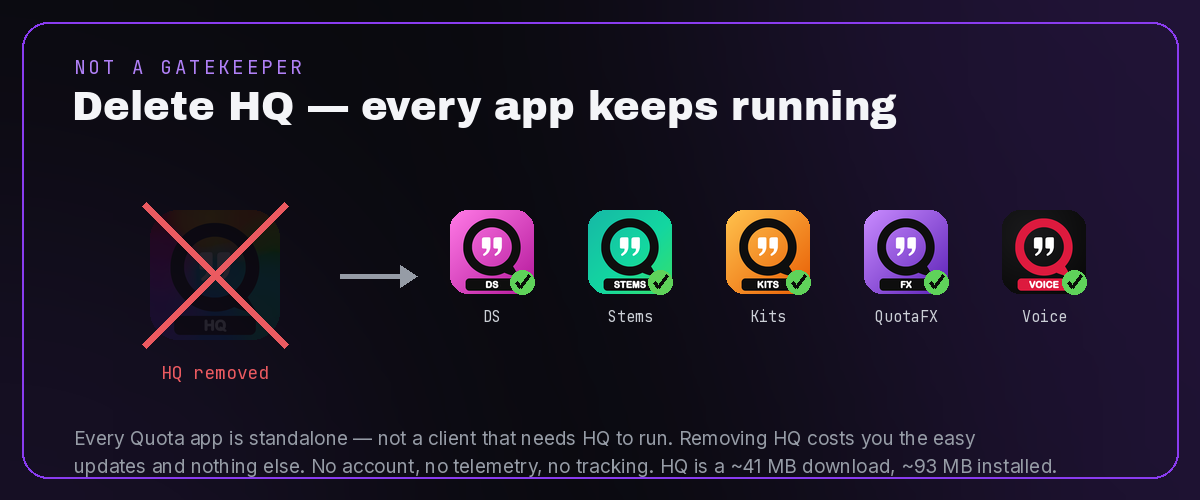
- HQ is not a storefront, not a launcher, not a mandatory client. Unlike Steam, Epic, or Creative Cloud, your apps do not need it to run.
- Delete HQ and everything keeps working. Every Quota app is standalone. Removing HQ costs you the easy updates and nothing else — it's your machine.
- It doesn't sit in the background unless you tick Start at login. Off by default.
- No account, no telemetry, no tracking. The one thing HQ talks to is the signed update catalog — checking for new versions is its whole job, and that check carries nothing about you.
- It's a ~41 MB download (~93 MB installed on Mac).
The frame that matters: HQ is a convenience layer over standalone apps, not a gate in front of them. It's here because it kills a genuinely annoying chore, and it's built so you can walk away from it any time without losing a thing.
Free apps stay free, paid apps stay yours
HQ doesn't change how any app is licensed. Stems is free and stays free. Paid apps hold their license locally in the wallet, whether or not HQ is installed. Trials are trials. HQ just makes getting and updating all of them a single, quiet step.
Get Quota HQ
Download Quota HQ — free, no account, Mac and Windows. Install it once and the whole suite is one window away. Curious about the no-account part? Here's exactly how that works.
FAQ
Is Quota HQ free? Yes — completely, and free forever. No trial, no upsell inside the app. It manages the paid apps, but HQ itself costs nothing.
Do I need an account? No. There are no Quota accounts at all. HQ runs with no login, and your keys live in a local wallet on your machine.
Can I delete it and keep my apps? Yes. Every Quota app is standalone, not a client tied to HQ. Delete HQ and DS, Stems, Kits, FX, and Voice all keep running — you just lose the easy updates.
Will it update things without asking? Only if you turn on auto-update, which is off by default. Otherwise nothing updates until you click it.
How do I roll back a bad update? One click. HQ keeps the previous version of every app, so you can drop back to the build that worked whenever you need to.
Does it run in the background? Not unless you tick Start at login, which is off by default.
Where is my license stored? In a local wallet on your machine. Lost a key? Get it back by email at Find My License.
How big is it? About 41 MB to download on Mac (35 MB on Windows), and roughly 93 MB installed.