COMPA 1.4: coming soon
Capture other apps and the web, turn dialogue into playable phrases, and perform with DJ decks. A look at the next major COMPA update, plus the Apple account migration holding up its release.
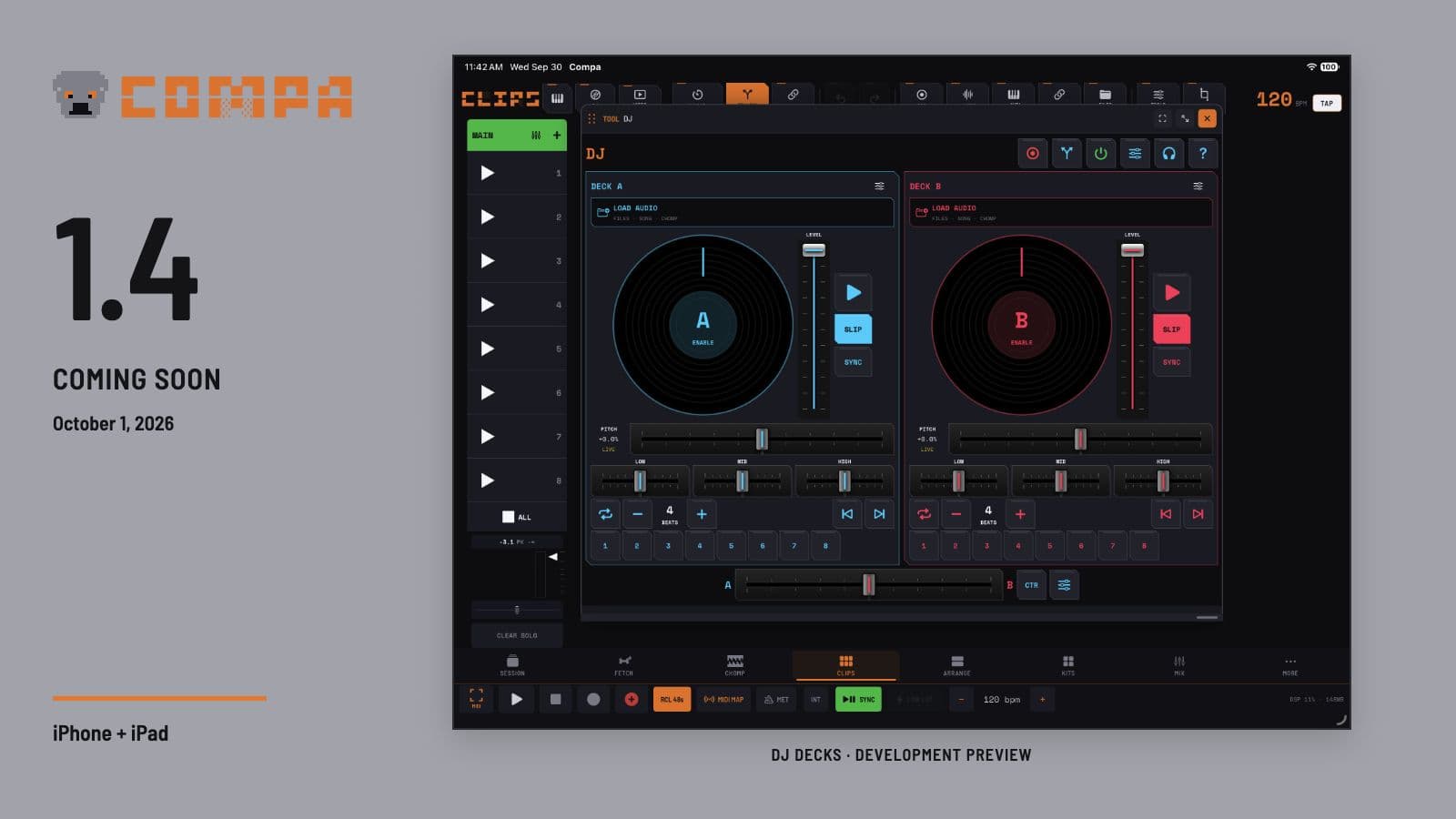
COMPA 1.4 brings three big additions into the same song: other-app and web capture, Quota DS dialogue sampling, and DJ decks with a separate scratch workspace for CHOMP pads. The idea is to make the whole journey feel connected: hear something, catch it, find the useful part, then play it.
Coming soon, not released yet. I am moving the Apple developer account from my personal name to Rare Data LLC. That migration is temporarily holding up distribution. Development and testing are continuing while Apple completes the change; I will announce the release once access is restored and the remaining release checks and Apple review are complete. There is no confirmed release date yet. COMPA 1.3 is the current public version.
Catch a sound from another app or the web
On iOS and iPadOS 27, connect another app's audio or open a movable, resizable web-source player inside COMPA. Capture audio on its own, or include video. The destination can be Takes, Clips, Arrange, Clips plus Arrange, a CHOMP pad, or Dialogue.
In CHOMP, Hold recording is there for grabbing a short phrase: hold an empty pad, then release to save. Tap recording lets a take continue while you switch to the source app and make its video fullscreen. You can audition a recorded pad while the sharing connection stays active, then capture another phrase from the same source.
The share sheet provides another way in. Share a link from another app to COMPA and it goes into the web-source queue, saving the copy-and-paste trip. A shared link opens the source for the capture workflow; it does not automatically turn every streaming link into a downloaded file. Source apps and the operating system determine what can be captured.
Captured video can stay linked to a sample, play with a video-sample performance, and be exported with audio as MP4. This opens up a visual side of sampling alongside the audio workflow.
Quota DS: find the words, play the phrase
Open a CHOMP sample in Quota DS, transcribe it, and highlight the words you want. Audition the selection, adjust its start and end, add fades, and send the phrase to a pad. Q-Chop can suggest sentence or segment cuts when you want to make several pads at once.
Transcripts are saved with their sources, so returning to a sample does not mean starting transcription again. Search finds a word or phrase; sentence, paragraph and block layouts make longer recordings easier to read. The window can move and resize, follows COMPA's theme, and gives the transcript its own light/dark switch.
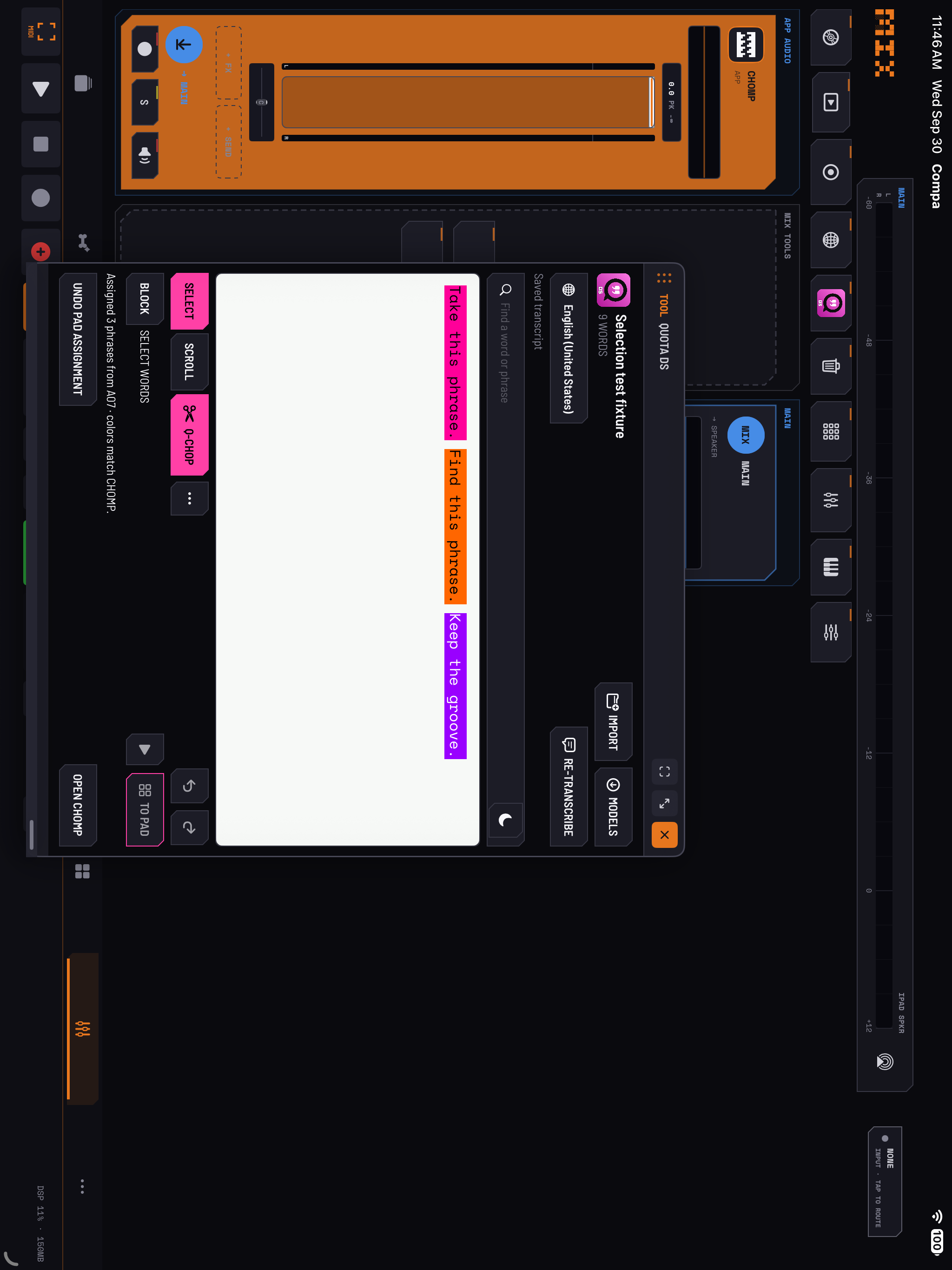
Choose Apple's on-device speech recognition or download an optional local Whisper model. A quick Apple draft can appear while Whisper continues working, so a larger model does not have to stop everything else. Model size, the device and the recording affect speed and accuracy; you can correct the words and refine a cut by ear.
DJ decks that work with your samples
Load audio from Files, song clips or CHOMP onto Deck A and Deck B. Scratch with the platters, jump between eight hot cues, analyze tempo and sections, set loops, and shape the mix with pitch, channel levels, three-band EQ and filter controls. Slip, Sync, platter-speed choices and selectable crossfader curves give you different ways to perform.
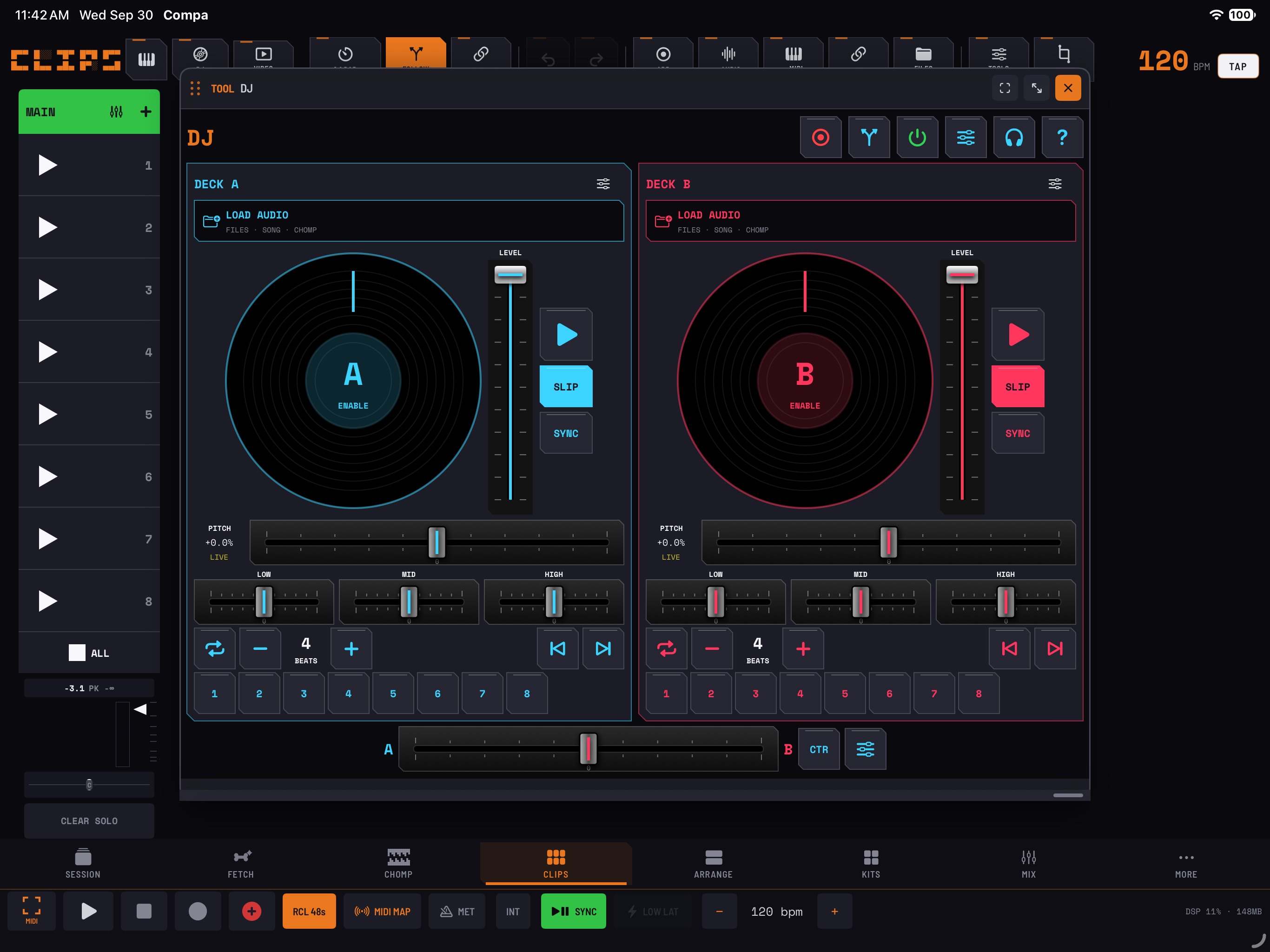
For one sample, open Pad Scratch. It gives that pad a separate scratch preview with Cut, Brake, Echo Out and low/mid/high EQ. Record a performance and send the result to a new empty pad, keeping the original available for another pass.
Performance controls support generic MIDI mapping. Compatible controllers can send notes and control messages into that workflow; model-specific HID protocols, motorized platters and other proprietary features need separate support. The focus here is performing and resampling the sounds you bring into COMPA.
More ways to connect your rig
Compatible MIDI ports can be used without a built-in instrument profile. Create a custom device card when you want one, choose its role and channels, configure Clock and Start/Stop, and save the setup with your Session. Custom controller banks, routes and settings are recallable.
An instrument that sends MIDI over USB but uses analog audio can be paired with its return channels on an audio interface. That makes the relationship visible: the synth's notes go out through MIDI, and its sound comes back through the assigned audio inputs. A USB MIDI connection still does not imply USB audio.
The MIDI Matrix also includes instrument AUv3s that emit MIDI, and the routing tools gain clearer refresh and output-test controls. A sent test note and a received MIDI message are shown separately, helping you work out which direction actually needs attention.
The everyday fixes matter too
Much of this update comes directly from people using COMPA and explaining where the workflow gets in their way:
- Arrange imports land in Arrange. Choosing an audio file creates its track and a visible region. Drag files into Clips or Arrange, and move or copy existing clips and regions with explicit drag actions.
- Names have room. Clip and region headers separate their names from waveforms, with more work on compact iPhone layouts and resizable tools.
- Cloud files have a clearer path. Selected iCloud and other provider files get download progress, cancellation and useful errors. Adding a folder and importing a file are distinct actions; opened media still needs local working space.
- CHOMP editing is easier to recover. More visible clearing controls and Undo help with accidental edits. Mono/Poly is close to the sample keyboard, and Live FX can target the CHOMP master or a bus, with MIDI mapping for performance controls.
- Song and session work gets attention. Normalization, export saving, MIDI recording placement, whole-scene Auto Follow, AU search, Session recall and AU audio continuity all receive improvements. Testing of specific third-party AU and hardware reports is continuing.
Getting ready for 1.4
Quota DS joins the Quota Stems and Quota Kits workflows already included in COMPA. There is no separate COMPA feature purchase for these tools; the desktop Quota apps remain separate products.
The updated manual is available now if you want to look through the upcoming workflows. Screenshots above are from development builds, and the final interface may change as testing continues.
Explore COMPA · Read the 1.4 preview manual · See what arrived in 1.3
Thank you to everyone sending recordings, device details and thoughtful feedback. That is helping turn this into a much more useful companion for the way you actually make music.