
COMPA 1.3: what’s new
New MIDI Capture, more useful Audio Recall, aligned stems inside CHOMP and a closer connection between playing, sampling and arranging. Here is what arrived in COMPA 1.3.
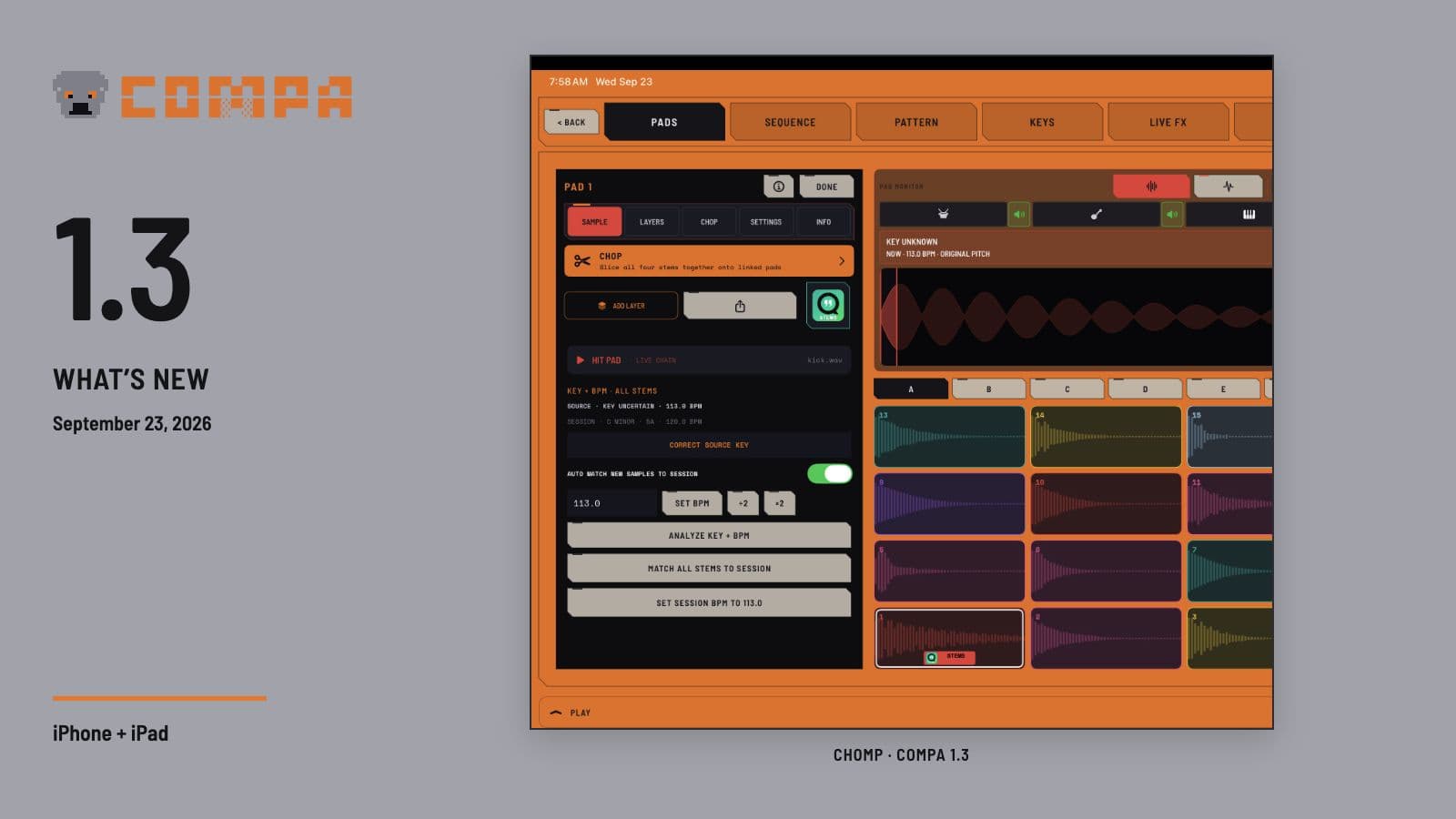
Release recap — September 23, 2026. COMPA 1.3 is about keeping the useful moments of a session and doing more with them. Play a phrase before you think to record, rescue the audio you just heard, or take a separated song apart inside CHOMP while its stems stay together.
The update also makes the surrounding work easier: opening a keyboard while arranging, choosing an audio route, setting an outgoing MIDI channel, and keeping your preferred amount of detail on screen.
Play first, capture the MIDI afterward
MIDI Capture is new in 1.3. When COMPA has received or performed MIDI, you can turn the latest phrase or the whole look-back window into a playable clip. Choose 15 or 30 seconds, or one, two or five minutes, then replay the result through the instrument's route.
Autoplay and loop options help you keep the idea going. You can place the phrase in Clips and independently add it to Arrange, with compatible empty slots used so an earlier take is not replaced. This captures MIDI that actually reached COMPA; it cannot recover notes from a device that never sent them.
Audio Recall gets a substantial upgrade too. Hold RCL to choose the look-back window, destination and boundary-silence trimming. The buffer runs from 30 seconds to five minutes, with one minute as the default. Gentle, Normal and Firm trim unused audio at the beginning and end while preserving the pauses inside the take and retaining the original.
Send a playable copy to Takes, Clips, Arrange or an empty CHOMP pad. The +REC action catches the recent past and keeps recording forward, which is useful when you realize the good part is still happening.
Four stems, one playable CHOMP pad
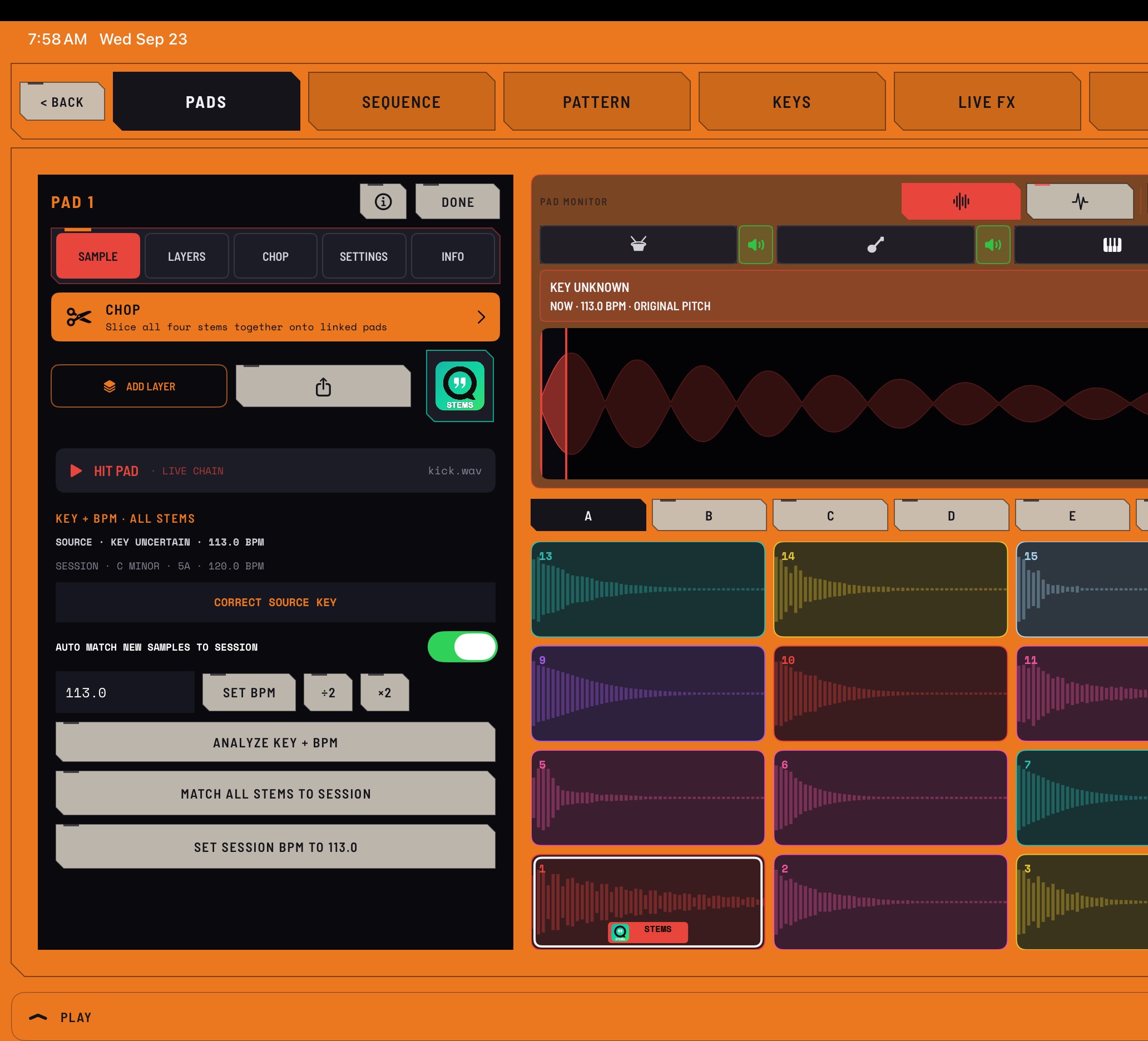
Quota Stems was already part of COMPA. In 1.3, a completed Standard 4 separation can live on one CHOMP pad as four aligned layers: drums, bass, other and vocals.
Each role has its own level and mute. Selecting a role to edit does not mute the others. Linked start/end points, trim, fades, pitch and Session matching keep the layers together, and linked looping keeps them on the same playback clock. If you want to work on a layer independently, you can unlink it deliberately.
That connection carries through chopping: a cut from a four-stem source becomes a pad with four aligned layers. Resampling records the output you performed, including the stem mutes, pitch and effects you heard.
Find the section, then make the cuts
The CHOMP waveform gains anchored pinch zoom, panning and a moving playhead. Structural section cues are separate from ordinary chop markers, so it is easier to choose a useful part of a longer recording before slicing it.
Run Beat This! cue detection, audition a labeled section, move or nudge its boundaries, then focus the chop tools on that range. Equal, Transient and Lazy chopping all work inside the focus. Choose one destination choke group for the resulting pads when the slices should cut one another off.
Sample matching also becomes more explicit. The waveform shows source BPM, available key information and playback pitch. Analyze or correct that information, set the Session tempo from a sample, or match the sample and its stems to the Session using the pitch-preserving Complex path. Optional Auto Match is available; an uncertain estimated key waits for confirmation before retuning the sample.
Separation and matching are offline processing jobs, so a full song needs time. Manual correction and Undo remain part of the workflow.
Keep building without leaving the song
Open Keys directly in Clips or Arrange to try a part in context. Hold menus add copy, paste and duplicate for audio and MIDI clips and regions, with confirmation before an occupied paste and Undo/Redo for edits. Audio waveforms have direct fade handles.
Audio tracks can reopen their selected hosted AUv3 instrument, and floating AUv3 editors remain available while working on the song. Add Audio to Song can use CHOMP, hosted instruments or Link Audio as real routed sources. Arrangement insert and routing changes also received work to preserve a sounding take and its transport position.
CHOMP Pattern can address all 16 pads in each A–H bank. Phone step editors put steps 1–8 above 9–16, and captured patterns use the next empty sequence. The Pattern and Rhythm libraries remember filters, let you pin favorite genres, and keep setting the Session BPM separate from loading a pattern.
FETCH continues to develop. Its Build page adds editable Call/Answer phrases and a Build Around Phrase handoff. FETCH helps develop chords, bass, melody and drums into editable parts using built-in voices, hosted instruments or MIDI gear; it remains an evolving part of COMPA.
See the route and control the sync
ROUTE now starts with a clear Input → COMPA → Output view. Choose from the stereo pairs or mono channels actually exposed by the active device. Class-compliant USB audio interfaces can get an audio card without a named MIDI profile, and ordinary same-interface monitoring can be enabled deliberately with feedback protection in mind.
Separate input and output devices can be used when iPadOS grants the combination. TEST INPUT helps distinguish the raw input, channel strip and program mix, so signal at one stage does not masquerade as success at every stage.
MIDI Matrix shows live controller sources. The PLAY drawer can claim a controller for the focused instrument and set the outgoing channel. Clock and Start/Stop have separate choices per device, and two identical supported devices retain distinct cards and routes.
Link Audio receive gets an adaptive buffer to reduce the earlier long delays and crackling when data arrives unevenly. Wireless audio still depends on the network; wired or USB monitoring remains the better fit for tight live timing.
Choose how much interface you want
Workspace Density offers Learn, Clean and Symbols, with Clean as the default for an unset preference. Full-word CHOMP editor tabs, clearer meters and mixer symbols, optional pad names, device colors and scope styles make the workspace easier to tailor. Dark-theme contrast, phone layouts and a range of transport, routing and CHOMP issues also received attention.
COMPA 1.3 is available for iPhone and iPad as an update to COMPA. Thank you to everyone whose playing, testing and reports helped shape this release.