YouTube to Stems, Free and Offline — and It Opens Straight Into Ableton
Paste a YouTube link and get clean stems for free — locally, no account, no minute limits. And unlike every other free tool, Quota Stems hands you a ready-to-play Ableton project, not a folder of loose WAVs.
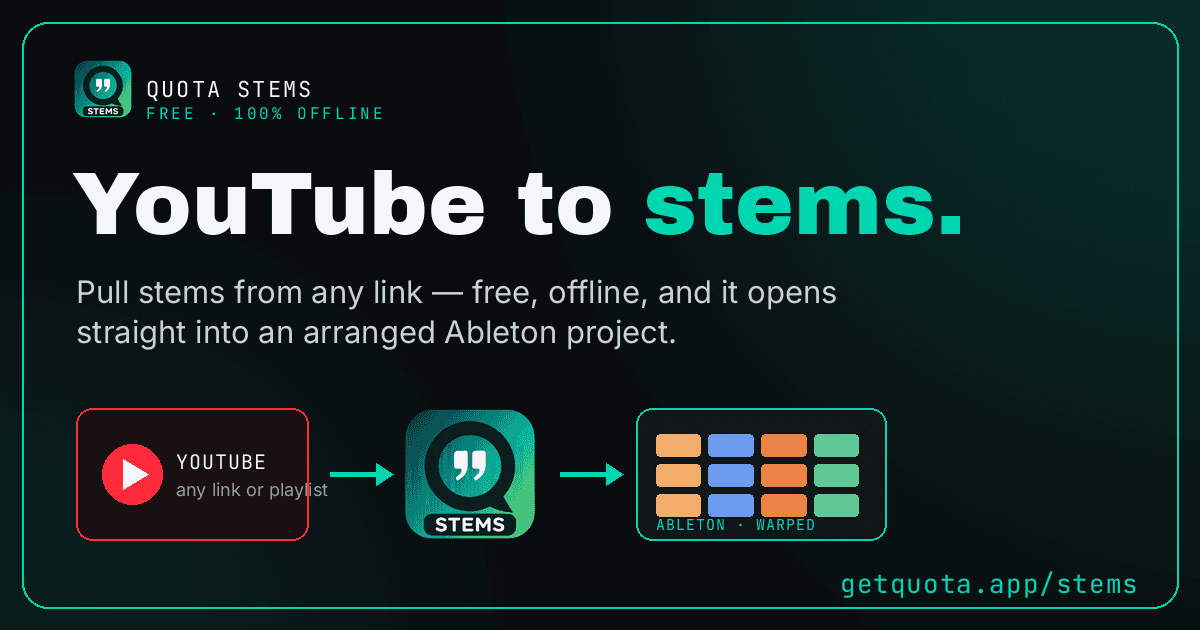
Paste a YouTube link into Quota Stems, pick 4 stems, 6, or a full drum split, and it separates the track locally on your machine — no account, no upload, no minute limit. Then it does the part every other free tool skips: it hands you a ready-to-open project — Ableton, or Akai Force / MPC, near one-to-one — with the stems already warped to tempo and sliced into the sections you choose. Not a folder of loose WAVs — a project you can play.
Most "free stem separators" fall into two camps. Cloud sites like Lalal and Moises upload your audio to their servers, meter you by the minute, and hand back raw files. Local tools like UVR5 and the Demucs command line keep it on your machine but stop at four WAVs and leave the rest to you. Quota Stems is the only free, offline one that finishes the job — and pulls straight from a URL to do it.
Paste a link, get stems
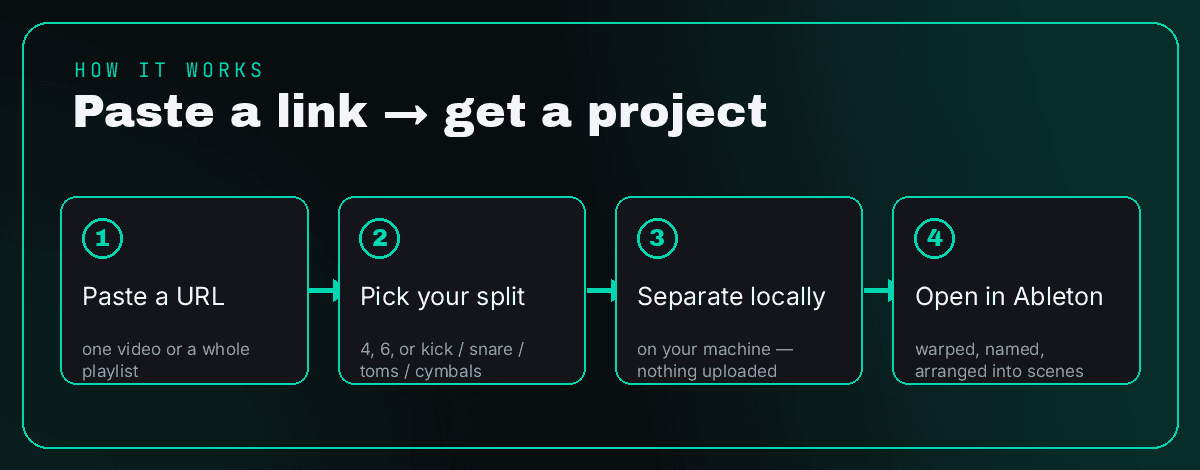
- Paste a URL — one video or a whole playlist. The queue fills on its own.
- Pick your split — 4 stems (vocals, drums, bass, other), 6 (adds piano and guitar), or break the drum bus into kick, snare, toms and cymbals: up to ~10 stems from one song.
- Separate locally — it all runs on your machine. On Apple Silicon it's a minute or two a track.
- Open in Ableton — warped, named, and arranged into scenes.
No sign-up, no "you've used your free 10 minutes," and your audio never leaves your computer.
The part other tools skip: it's already arranged
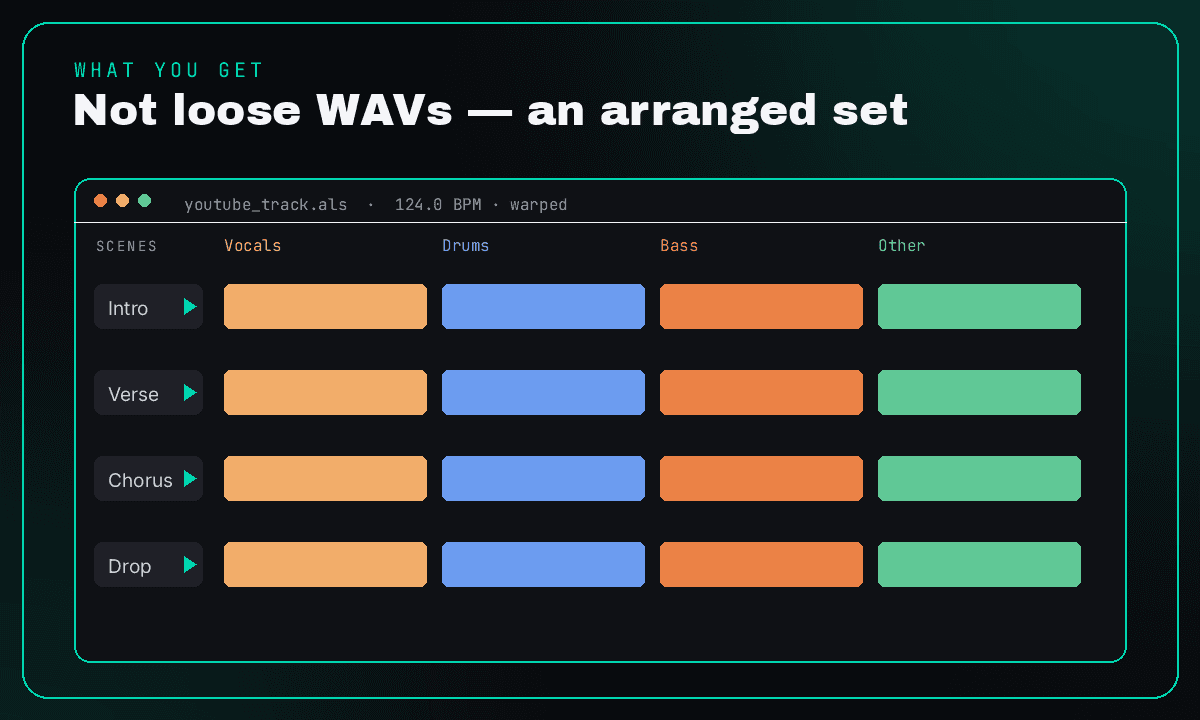
This is where Quota Stems stops being a separator and becomes a head start. When it's done you don't get a folder of WAVs — you get a ready Ableton Live 12 set, or an Akai Force / MPC project that's near one-to-one with it: every stem on its own named track, warped to the detected tempo, sliced into the sections you set — even 8- or 16-bar blocks, or detected cue points — so one launch fires a whole section in time, with Follow Actions chaining them so it loops itself, hands-free. It doesn't try to guess your intro and chorus; you tell it how to cut, and it nails it.
Open the project and you're already working. No tool-chain, no manual warping, no dragging four files onto four tracks.
A whole playlist, not one song
Paste a playlist URL and every track becomes its own stem folder — and its own colour-coded scene in one combined set, each warped to its own BPM and chained to the next. A whole crate, launchable from one grid. No other stem tool expands a playlist; the best of them batch a folder you already downloaded.
The same project, on Akai Force / MPC
This isn't a lesser export — the project you get for the Force and MPC is near one-to-one with the Ableton one. Drop it on your Force and the stems are already in the clip matrix: the same bar or cue sections as launch rows, stems as track columns, warped to tempo, Follow Actions chaining them. Akai's own MPC Stems add-on is $9.99 for four stems with no layout. This is free and lays the whole thing out for you. Nobody else builds a playable Force or MPC project — free or paid.
Stem off a video and keep the picture
Working with video? Export an MP4 that keeps the original picture and swaps the audio for any single stem — pull the music out and keep the dialogue, or the other way around. Most tools give you audio only.
How it compares
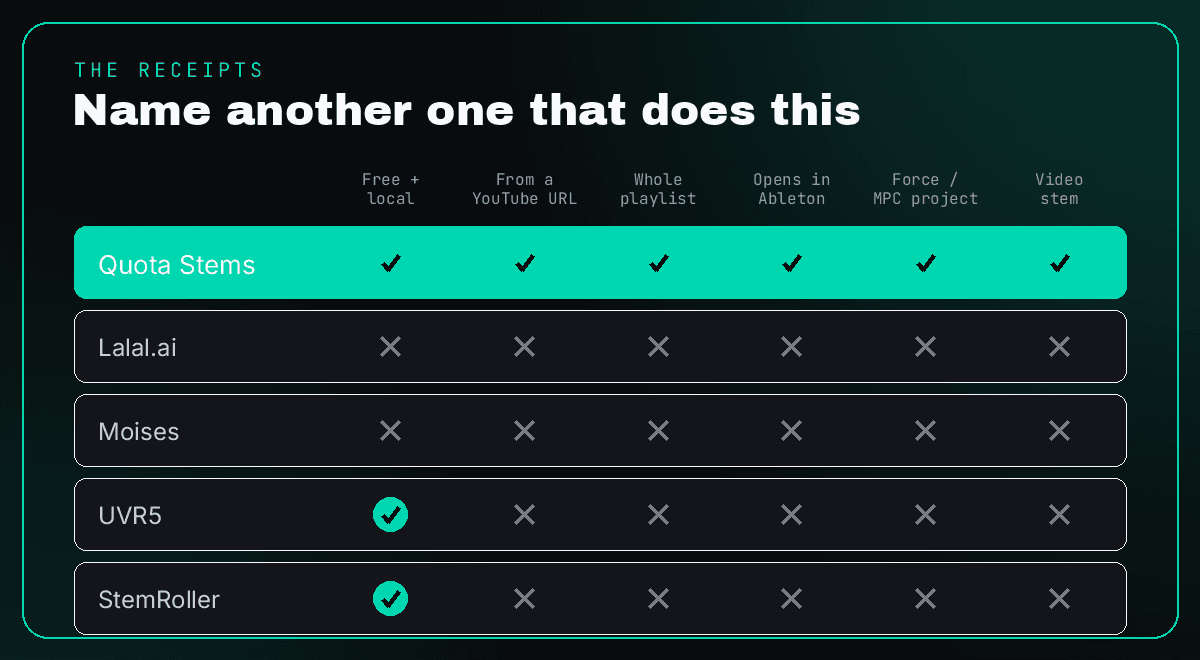
The honest breakdown:
- Lalal.ai and Moises are cloud services — you upload, you're metered, and you get loose files back. Neither builds a DAW project.
- UVR5 and StemRoller are free and local like Quota, and they're genuinely good at separation — but they hand you WAVs and stop there. No URL import, no project, no warping.
- Quota Stems is the only one that pulls from a URL, separates locally for free, and opens straight into a warped, scene-arranged Ableton or Akai Force project.
Does it sum back to the original?
Yes. Recombine the stems in your DAW and you get the exact original, with no frequency doubling. Even the drum split is lossless — kick, snare, toms, cymbals and the leftover residual rebuild the drum bus bit for bit.
FAQ
Is it really free? Completely. No account, no subscription, no cap on how many tracks you run.
Does it upload my audio? No. Everything runs on your machine. The only time it touches the internet is to pull a URL you paste.
Can it do a whole YouTube playlist? Yes — paste the playlist link and it processes every track, each into its own folder and its own scene.
Can I open the stems in Ableton without warping them myself? That's the whole point. They come warped to tempo, named, and arranged into scenes. Open and play.