Guides
Quota Voice: Private, On-Device Dictation and Voice Commands — Your Voice Never Leaves Your Computer
Quota Voice is private, on-device dictation plus a voice-command layer for your whole studio. Transcription runs on your machine with zero network, and you can drive it from your phone over an end-to-end encrypted link — no account.
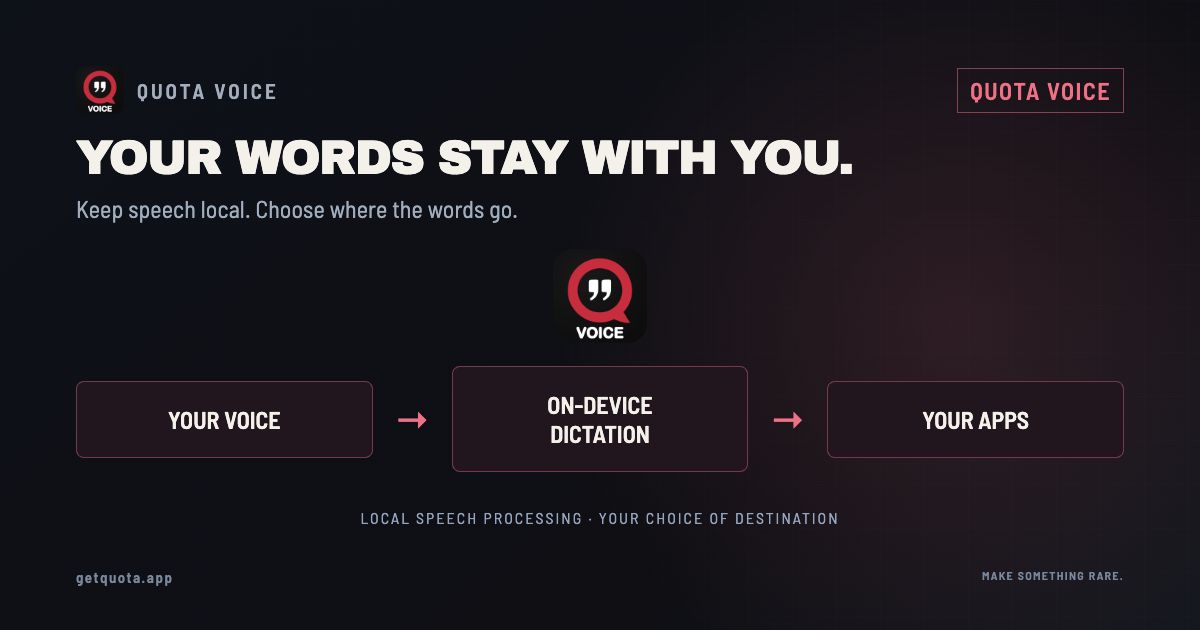
Quota Voice is two things in one app: private, on-device dictation, and a voice-command layer that runs the rest of your Quota setup. Tap a key and talk, and the words land in whatever app you're in — the transcription happens on your own machine, with zero network. Or say one line, like "split this into stems," and it drives Stems, Kits, or DS directly. Nothing is uploaded, nothing is kept unless you want it, and there's no account. You can even run it from your phone over an end-to-end encrypted link.
Voice control usually means talking to someone's cloud. This doesn't. The whole point of Quota Voice is that your voice becomes text and text becomes actions without any of it leaving the computer in front of you.
What it is — both halves
Quota Voice has a dictation half and a command half, and they share the same engine.
The dictation half is push-to-talk: tap a key, talk as long as you want, tap again, and the text pastes wherever your cursor is — an email, a DAW note, a comment box, anywhere you can type. No time limit, no countdown.
The command half is a voice layer over the suite. One spoken sentence runs a whole workflow: "chop this into 16 sentences" drives DS, "make a song kit from this track" drives SongKit, "split this into stems" drives Stems. You say it, it happens, and the result lands in your folder.
Why the dictation is good
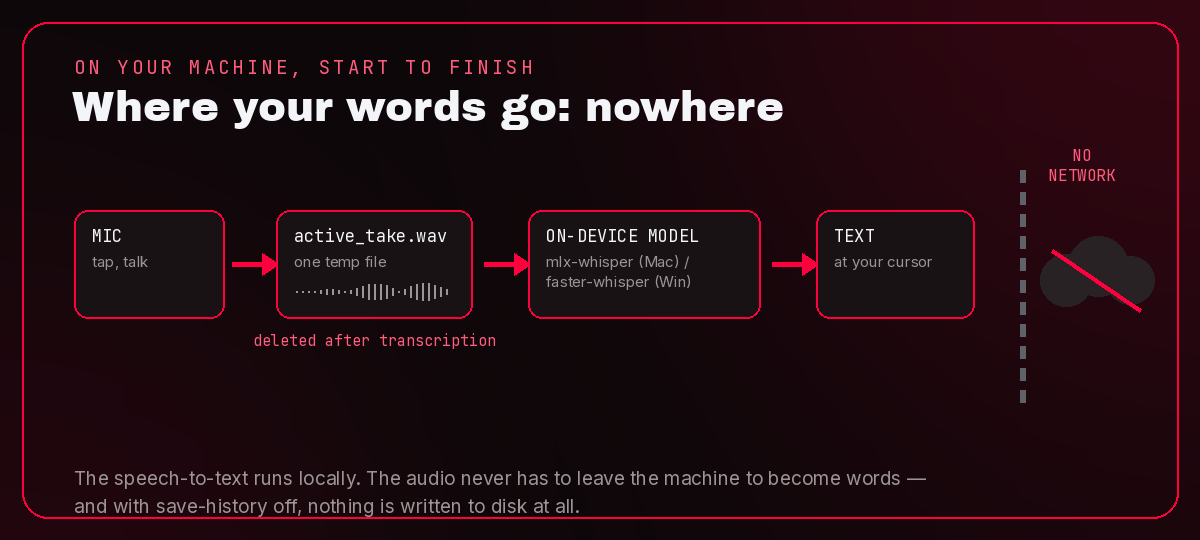
The model runs on your hardware — mlx-whisper on Mac, faster-whisper on Windows — so there's no round-trip to anyone's server between you talking and the text showing up. That's what keeps it quick, and it's the same reason it's private: the audio never has to leave the machine to become words. Talk for two seconds or twenty minutes; there's no clock on you, because there's no per-minute bill on the other end.
The privacy story, in detail
This is the part worth being specific about, because "private" is a word everyone claims. Here's what actually happens on disk:
- Transcription is on-device. Zero network. The speech-to-text runs locally. Nothing about your audio goes out over the wire to be transcribed.
- One temp file, then it's gone. While you talk, the recording is a single temporary WAV in the app's data folder. The moment transcription finishes, that file is deleted — there's no pile of old takes building up somewhere.
- Your transcripts are a plain text file on your machine. History lives in a text file you can open, read, and delete yourself. "Clear history" wipes it from the menu, and the history files are capped so they never quietly grow.
- Turn history off and nothing persists at all. There's a save-history toggle. Switch it off and Quota Voice keeps no record of anything — not the audio, not the text. That's a real private mode, not a marketing word.
- The one thing it reaches out for is updates — and even that says nothing about you. On launch, the app asks our own catalog whether a newer version exists. That request carries no ID, no account, and no usage data; your audio and transcripts never leave the machine. No cloud, no third parties, no telemetry.
The phone remote, and what "encrypted" actually means here
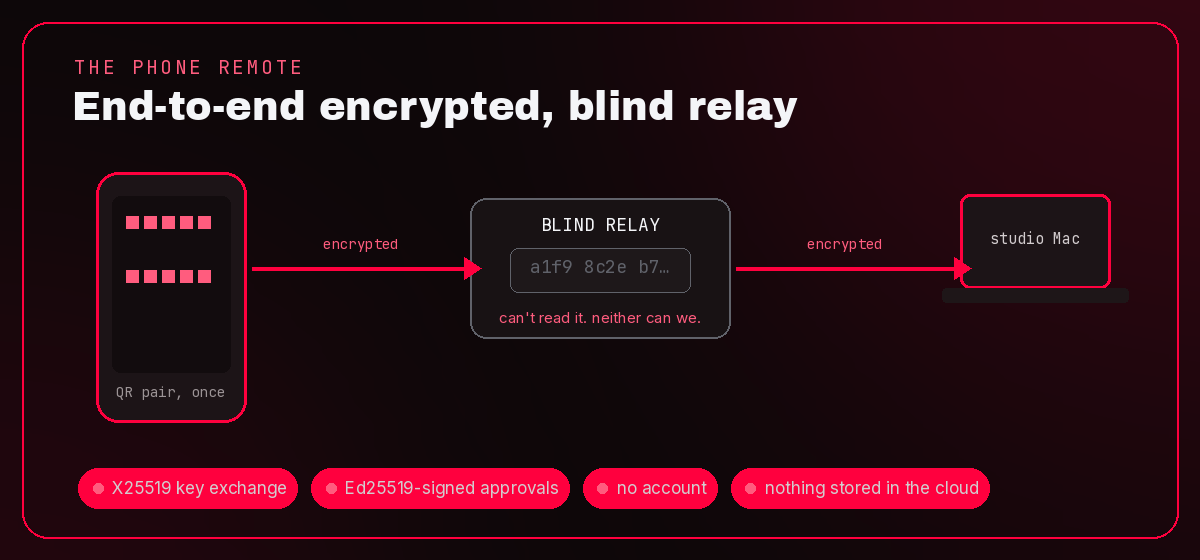
You can pair a phone and use it as a remote — flick a TikTok or YouTube link from your phone's share sheet and the Mac in the studio does the work, so it's ready by the time you sit down.
Pairing is a QR scan, once. After that, the link between phone and desktop is end-to-end encrypted: the two devices agree on a shared key directly through an X25519 key exchange, messages are authenticated-encrypted between them, and approvals are signed with Ed25519 so the desktop only acts on requests that genuinely came from your paired phone. The relay in the middle is blind — it passes encrypted traffic along without ever holding your keys or seeing the plaintext. No account, and no server storing what you send.
That's the honest version. Not "unbreakable," not "impossible to crack" — just end-to-end encrypted, a blind relay, signed approvals, no account, and nothing sitting in the cloud.
Why it makes the whole suite faster
The speed isn't really about "fewer clicks." It's that a voice command drives each app's headless runner directly — it skips the file pickers, the export dialogs, and the per-step confirmations you'd otherwise click through by hand.
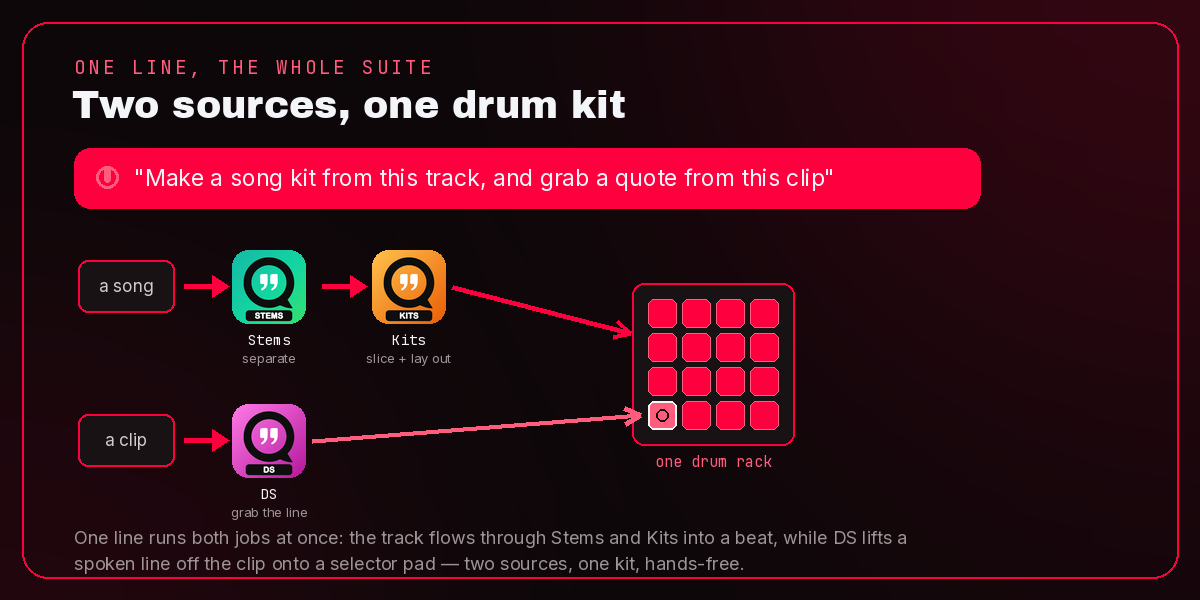
Take a real chain. Say you want to flip a track and drop a movie line into it. By hand that's two jobs: open Stems and split the song, open Kits and lay out the rack — then, separately, open DS, load the clip, hunt down the line, chop it, and drag it onto a pad. Two sources, a stack of file pickers and dialogs. With Voice it's one spoken line — "make a song kit from this track, and grab a quote from this clip" — and Stems, Kits, and DS each do their part into one kit while your hands stay on the keys. Same result; the steps in between just disappear.
Multi-app workflows worth stealing
- Song to drum rack. "Make a song kit from this track" — SongKit turns the whole song into a stem-by-section rack you can play. More on that in how to make a drum rack from a whole song.
- Quick stems. "Split this into stems" hands the track to Quota Stems and separates it on your machine.
- Grab a line from a clip. "Chop this into 16 sentences" runs Quota DS over dialogue — from a movie, podcast, video, or interview — and drops the chops onto pads, or onto one knob-selectable selector pad in an Ableton drum rack.
- Build from a folder. "Build a kit from this folder" points Quota Kits at a folder of one-shots and lays out a playable kit.
Get Quota Voice
Get Quota Voice — the full app is now free for Mac and Windows. Current builds may still show the old trial screen; use the free permanent activation key on the Voice page or in your download email. It also activates expired trials and preserves your transcripts and settings. Once activated, the license works offline. Commands for paid Quota apps require those apps and their licenses. How Quota works without an account. Get Quota HQ to install and update the apps.
FAQ
Does Quota Voice send my audio anywhere? No. Dictation is Whisper running locally — mlx-whisper on Mac, faster-whisper on Windows — and the audio never leaves the computer. On launch the app checks our catalog for a newer version, but that request says nothing about you. The phone remote uses an end-to-end encrypted relay, so there's no server that can read what you send either.
Where are my transcripts stored? In a plain text file on your own machine, in the app's data folder. You can open it and read it yourself.
How do I delete them? "Clear history" wipes them from the menu. Or turn the save-history toggle off and nothing is written down in the first place.
Does it work offline? Yes — transcription is fully on-device, so dictation and local commands work with no connection. The app makes one small request on launch (a version check against our update catalog, carrying nothing about you), but it runs fine offline. Beyond that, you only need the internet when a command pulls a URL you handed it.
Do I need an account? No. There are no accounts anywhere in Quota. Download it and use it.
Is it free, or is there a catch? Quota Voice is free. Current builds use the free permanent activation key on the Voice page, including after an expired trial. There is no purchase or subscription. Activation is checked offline, and your settings stay put.
Is the phone connection encrypted? Yes, end to end. Pairing is a QR scan, the link is encrypted between your phone and desktop, approvals are signed, and the relay in the middle can't read what passes through it.
Which apps can it control? Quota DS, SongKit, Quota Stems, and Quota Kits, from one spoken line each.